Twitter for Musicians

Twitter for Musicians the Basics Twitter for Musicians
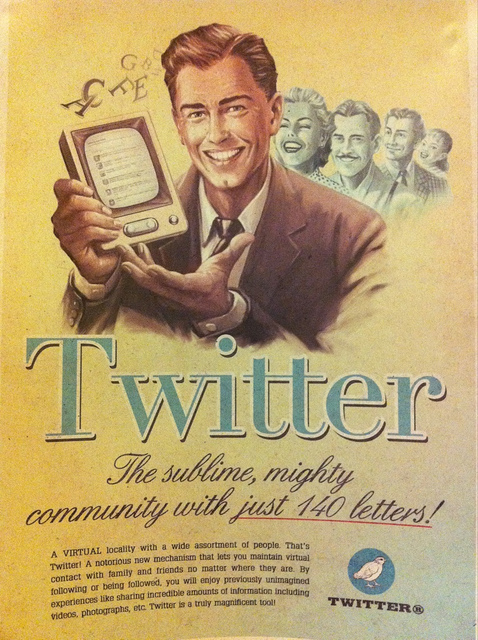
Image by inju

This page collates all our most important posts on Twitter for Musicians and is a handy reference for best practice in Twitter music marketing.

Our very comprehensive guide entitled ‘Top Twitter tips for Musicians‘ is where you should start as it covers everything you need to know about how Twitter should be a key part of your online music promotion in plenty of detail.

A musician who has never used Twitter should be able to read this series of posts and be amongst the best users of Twitter for music promotion and marketing.

Top Twitter Tips for Musicians is a six part series of posts.

Top Twitter Tips for Musicians – the Basics – Part 1

Top Twitter Tips for Musicians – Interaction – Part 2

Top Twitter Tips for Musicians – Facebook, Pictures & Video – Part 3

Top Twitter Tips for Musicians – Help, Lists & URL’s – Part 4

Top Twitter Tips for Musicians – Involvement & Music – Part 5

Top Twitter Tips for Musicians – TweetDeck, Hootsuite & TweetAdder – part 6

More relevant posts on Twitter for Musicians will be added as we write them.

Comments

{ 18 comments… read them below or add one }

Anne February 16, 2011 at 9:30 pm

Nice to see this. Thank you!

I have added this to my latest blog post by the same title at http://concertblog.wordpress.com/2011/02/16/twitter-for-musicians/

Reply

Admin February 17, 2011 at 8:28 am

Thanks!

Reply

Siggidori March 1, 2011 at 1:49 pm

This pop-up ad is annoying probably damaging for your site. I could not get rid of it on my laptop for some reason. I could not comment or read anything. Problem solved on my imac though. (Same browser and all). Great articles btw ;)

Reply

Admin March 1, 2011 at 1:59 pm

Thanks for pointing that out.

I know that some people don’t like pop-ups and it does definitely turn some people away. I believe that the benefits outweigh the disadvantages – but I know not all will agree.

It’s a difficult choice as I want as many people as possible to sign up to the newsletter and read the eBook for all the obvious reasons. The pop-up should only appear the first time you come to the site and should be easily closable.

I’ll have another look at it!

Glad you liked the articles though.

Reply

Siggidori March 1, 2011 at 2:06 pm

I appears every time. On every window… sometimes after a little while.
What annoyed me when I was on my laptop was just that I could NOT get rid of it. Re-opening the page didn’t help. Could not read articles and therefor I didn’t bother posting them to Twitter and Facebook. That’s something to consider … I would think ;)

Cheers!

Reply

Admin March 1, 2011 at 2:09 pm

Mmm- that IS annoying. It shouldn’t do. It should be one time and then gone.

What computer and browser are you on?

I’ll look into it some more.

Obviously I want people to read the content and pass it on.

Ian

Reply

Siggidori March 1, 2011 at 8:38 pm

The problem was on my Mac Book Pro using Firefox. I’m using it right now which means I solved the problem. I turned off Adblock Plus, which for some reason was only blocking a part of the ad. Still, this pops up on every visit.

Reply

Admin March 1, 2011 at 8:52 pm

Weird – I’ve checked the settings again and set it to once only. I can only think that you have a weird cookie clearance thing going on or there’s just a particular issue with your set up and the site.

Anyone elses getting the pop-up all the time?

It’s not the intention!

Reply

Siggidori March 1, 2011 at 9:59 pm

Now I’m on my iMac again. Did not show up this time.

Chris March 1, 2011 at 6:04 pm

Great article and something I’m adding to the blog on my site..
Chris

Reply

Chris March 1, 2011 at 8:55 pm

Hey Ian…

Only got it the first time..

Chris.

Reply

Admin March 1, 2011 at 9:05 pm

Thanks Chris.

Good to know.

I am not super techy!

Reply

Susan March 3, 2011 at 2:15 pm

Thank you so much for this article! We are kind of new to this and can use all the help we can get! Oh, and thank you for making it easy to understand! (No huge, techy words) :)

Reply

Admin March 3, 2011 at 8:01 pm

Glad to be of service.

Ian

Reply

Kate March 3, 2011 at 7:53 pm

Hello, just got around to reading your Twitter tips, thought I’d just give
you some feedback! Found it really helpful, and very relevant. Thought the
info about backgrounds very useful, I didn’t realise that they should really
be a specific size. Personally, even as a music fan, I get frustrated if my
favourite band doesn’t tweet enough – there are so few people who manage to
get the balance right! Thanks for your tips!

Reply

Admin March 3, 2011 at 8:01 pm

Kate

Thanks so much – it means a lot when people make the time to let us know that we are hitting the mark.

Ian

Reply

Ashton April 24, 2012 at 1:48 am

Hey Ian,

Just wanted to let you know that I’ll definitely be frequenting your site more. I’ve read a few articles and enjoyed (yes, enjoyed) every one of them. They’re informative, but not in a dull, textbook way.

Thanks!

Ashton

Reply

Ian April 29, 2012 at 6:15 pm

Thanks AShton – it’s always great to know that people are getting value from the posts.

Ian

Reply

Leave a Comment

{ 17 trackbacks }